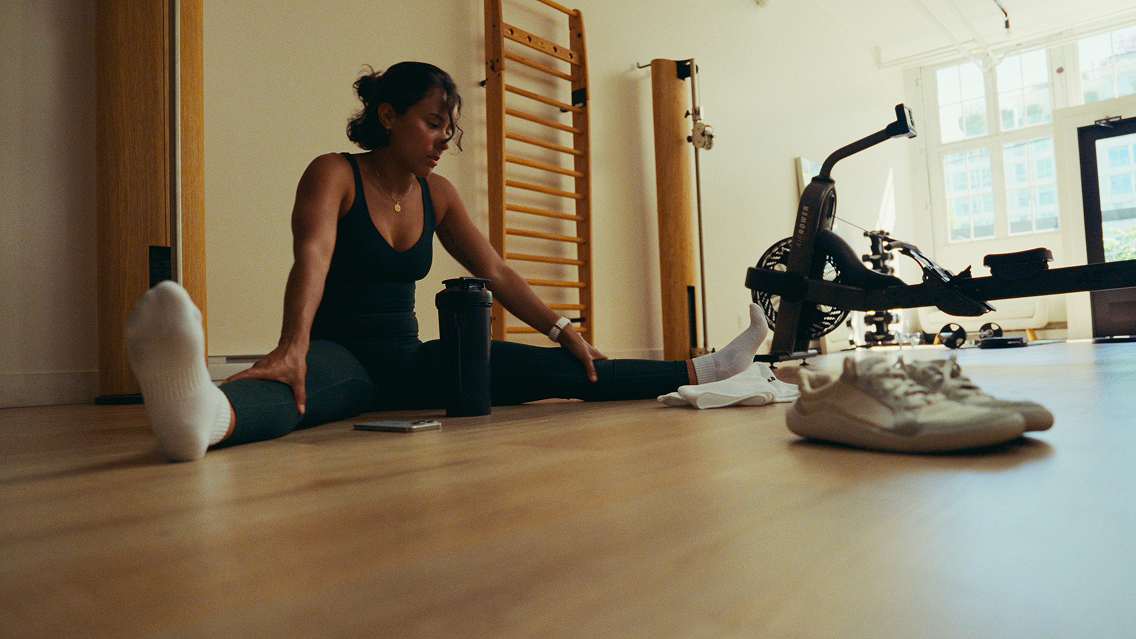
If your training has stalled even though your routine has not obviously changed, your food diary may already hold a useful clue.
Protein, total energy and carbohydrate form a practical nutrition baseline for resistance training. Your needs are personal, and they can change with your body weight, goals and training load. Instead of judging one day, use Cronometer to look for a pattern across several days or weeks.
This guide shows you how to:
- Set macro targets that reflect your training.
- Log exercise so your energy data has the right context.
- Review average protein and energy intake in your Nutrition Report.
- Check carbohydrate timing and protein distribution in your Diary.
- Test one small change and compare the results.
The short answer: Set a protein benchmark that fits your goal, log your training, filter your report to days you tracked consistently and review averages instead of isolated days. Then change one variable at a time.
Step 1: Set Macro Targets That Reflect Your Training
Cronometer’s default Macro Ratios are 25% protein, 45% carbohydrate and 30% fat. They are a general starting point, not a strength-training prescription.
Research on resistance training suggests that total daily protein intake is an important variable. A useful evidence-informed range for many healthy adults who train for strength is about 1.6 to 2.2 grams of protein per kilogram of body weight per day.[1] That range is not a rule for everyone, but it gives you a benchmark to compare with your own average.
How to change your macro targets
- On mobile: Go to More > Targets > Macro & Energy Targets, then choose how you want to set your macro targets.
- On the web: Go to More > Targets + Profile, then find your macro target settings.
Cronometer offers three approaches:
Macro Ratios
Macro Ratios divide your energy target between protein, carbohydrate and fat. If your energy target changes because you log exercise or update your weight, the gram targets change while the ratio stays the same.
This can be useful if you want your macro targets to move with your energy target. However, a percentage does not guarantee the same grams of protein per kilogram every day.
Fixed Targets
Fixed Targets let you enter a gram or calorie target for each macronutrient. The targets stay the same from day to day, even when your logged activity changes.
This is the simplest option if you want to compare your daily protein intake with a consistent gram target.
Keto Calculator
The Keto Calculator works differently. It sets maximum protein and carbohydrate targets based partly on lean body mass, then assigns the remaining energy to fat. Because its protein target uses lean body mass rather than total body weight, do not compare it directly with a grams-per-kilogram range based on total body weight.
If you follow a ketogenic diet and train for strength, consider working with a qualified sports dietitian to choose targets that fit both goals.
Another option: set a protein target on its own
If you want to keep your current macro setup, you can customize your protein target under Nutrient Targets instead.
The important part is not choosing the “perfect” setting. It is knowing what your target represents and comparing it with a consistent stretch of your own data.

Step 2: Log Your Training for Better Energy Context
Cronometer estimates total daily energy expenditure from several parts, including basal metabolic rate, baseline activity, tracker activity and logged exercise. If a workout is missing, the day’s energy picture is missing part of its context.
You can add exercise directly to your Diary or connect a supported device or app so activity is imported. Cronometer adjusts baseline activity when exercise is logged to help avoid counting the same activity twice.
If you want your energy target to rise with activity above your baseline, turn on Add Expenditure Above Baseline to Energy Target in your advanced energy settings. If you prefer a target that stays steady, leave it off.
The numbers in Cronometer are estimates, so avoid treating a single day’s calorie balance as a verdict. Look for a repeated pattern: Is the gap between your intake and expenditure small and occasional, or does it remain wide during demanding training weeks?
If you are deliberately losing weight, a larger or prolonged deficit may make training and recovery harder. The amount that is appropriate depends on your goals, health and training load.[3]
Step 3: Review Protein and Energy Averages
A low day rarely tells you much on its own. A shortfall that repeats across a week or two is more useful.
Open the Nutrition Report
- On mobile: Go to Discover > Report.
- On the web: Go to Trends > Nutrition Report.
The Nutrition Report shows your average daily intake over the selected time frame. Basic users can view the previous week; Gold subscribers can choose custom date ranges.
Before you interpret the report:
- Choose Non-Empty Days or Complete Days so unlogged days do not pull down the average.
- Consider excluding today if the day is still in progress.
- Use the same filters when you compare one period with another.
Then check two numbers.
1. Average protein intake
Divide your average daily protein intake in grams by your body weight in kilograms.
Example:
- Average protein: 120 g per day
- Body weight: 75 kg
- 120 ÷ 75 = 1.6 g/kg per day
Compare that result with the benchmark you chose. The goal is not to make every day identical; it is to see where your average tends to land.
2. Average energy intake
Compare your intake across training periods. If you added a weekly session or moved into a harder block, did your average intake change too?
For a clearer view, open Charts and turn on Show Trend where available. The trend line displays a rolling average, which can make the underlying direction easier to see than daily spikes.

Step 4: Use the Diary for Timing Questions
The Nutrition Report is useful for averages. The Diary is better for questions about specific days and meals.
Check carbohydrate intake before hard sessions
Find two or three of your hardest recent sessions. For each one, review your carbohydrate intake on the day before the session and, when relevant, the two-day lead-up.
Carbohydrate needs rise with training volume and intensity, so there is no single number that fits every athlete or every day.[3] You are looking for a repeatable relationship: Do your lowest-carbohydrate days regularly fall before sessions that feel flat or fade early?
Check how protein is distributed
Total daily protein matters, but distribution can also be useful to review. One evidence-informed starting point is about 0.4 g/kg per meal across at least four meals, adjusted for your total daily target.[2]
Diary Groups can separate breakfast, lunch, dinner and snacks, making it easier to see whether protein is spread across the day or concentrated in one meal.
Step 5: Test One Change at a Time
Your data can point to a question, but it cannot prove that one variable caused a plateau. Treat the following as simple personal experiments: change one thing, keep the rest as steady as practical and give the test enough time to show a pattern.

Experiment 1: Raise your protein baseline
First, log your usual intake without changing it. Calculate your average protein intake in g/kg.
If your average is well below the benchmark you chose, keep your training reasonably consistent and bring your protein intake closer to that target. Track useful outcomes such as completed reps, load, session quality and recovery between sessions.
Experiment 2: Move more carbohydrate before hard days
Choose your two hardest sessions of the week. For three weeks, move a larger share of your weekly carbohydrate intake into the 24 to 48 hours before those sessions while keeping your weekly intake roughly the same.
Add a short Diary note after each workout. Record the same measures each time, such as completed reps, perceived effort and whether your energy dropped during the session.
Experiment 3: Compare training blocks
If you recently added sessions or increased volume, compare average intake during the harder period with the weeks before it.
If training increased while protein, energy or carbohydrate intake stayed the same, you have found a reasonable variable to test. You have not proved the cause, but you have narrowed the question.
Aim for at least three weeks per experiment when practical. Two workouts a few days apart usually say more about that particular week than about the change you made.
When Gold Adds More Context
You can do the core work in this guide with a Basic account: log food and exercise, customize nutrient targets, review a one-week Nutrition Report and use the standard charts available to you.
Gold becomes more useful when your question spans a longer period or several variables. It adds:
- Custom date ranges in the Nutrition Report.
- A larger Chart Library and custom single- or multi-variable charts.
- Nutrition Scores for selected areas of nutrition.
- Print reports to share with a coach, dietitian or other health professional.
If one week answers your question, the Basic report may be enough. If you want to compare training blocks or review a plateau that developed over a month, Gold gives you more history and more ways to view it.
The Pattern Matters More Than One Number
You are not looking for one perfect day. You are looking for a pattern you can act on.
Set a protein benchmark that reflects your training. Log your sessions so your energy data includes them. Review consistently logged days, then use the Diary for questions about timing. Change one variable and look again.
You did the training and the logging. Cronometer helps you keep the numbers organized so you can decide what to test next.
Frequently Asked Questions
How much protein do I need for strength training?
For many healthy adults doing resistance training, about 1.6 to 2.2 g/kg of body weight per day is a useful evidence-informed range.[1] Individual needs vary, and more is not automatically better. A sports dietitian can help you set a target for your health, diet and goals.
Should I use Macro Ratios or Fixed Targets in Cronometer?
Use Macro Ratios if you want your macro grams to move with your energy target. Use Fixed Targets if you want the same gram targets each day. The better choice is the one that matches the question you are trying to answer.
Where is the Nutrition Report in Cronometer?
On mobile, go to Discover > Report. On the web, go to Trends > Nutrition Report.
How do I stop incomplete days from lowering my averages?
In the Nutrition Report settings, choose Non-Empty Days or Complete Days. You can also exclude today if you have not finished logging.
Can I do this with a Basic account?
Yes. A Basic account includes custom macro and nutrient targets, food and exercise logging, device syncing, standard charts and a Nutrition Report covering the previous week. Gold adds custom report ranges, more chart options and other analysis tools.
Can Cronometer tell me why my training has stalled?
Cronometer can show patterns in the data you log, but it cannot diagnose the cause of a plateau. Training design, sleep, stress, illness and other factors may also matter. Use the data to form a question, test one change and seek professional guidance when needed.


About the Author
Keshia Blake
Brand & Communications Specialist, Cronometer
Keshia helps translate nutrition science into clear, human-centered stories that empower people to better understand their health. Her background spans healthcare, health behaviour change, advertising, creative strategy, and brand communications.
Citations
- Morton RW, Murphy KT, McKellar SR, et al. A systematic review, meta-analysis and meta-regression of the effect of protein supplementation on resistance training-induced gains in muscle mass and strength in healthy adults. British Journal of Sports Medicine. 2018;52(6):376-384. doi:10.1136/bjsports-2017-097608
- Schoenfeld BJ, Aragon AA. How much protein can the body use in a single meal for muscle-building? Implications for daily protein distribution. Journal of the International Society of Sports Nutrition. 2018;15:10. doi:10.1186/s12970-018-0215-1
- Thomas DT, Erdman KA, Burke LM. Position of the Academy of Nutrition and Dietetics, Dietitians of Canada, and the American College of Sports Medicine: Nutrition and Athletic Performance. Journal of the Academy of Nutrition and Dietetics. 2016;116(3):501-528. doi:10.1016/j.jand.2015.12.006