A nutrition app that only shows you numbers still asks you to interpret them yourself. Your Cronometer Diary shows what you ate and how it aligns with your nutrient targets, but connecting those details to your goals can still take time.
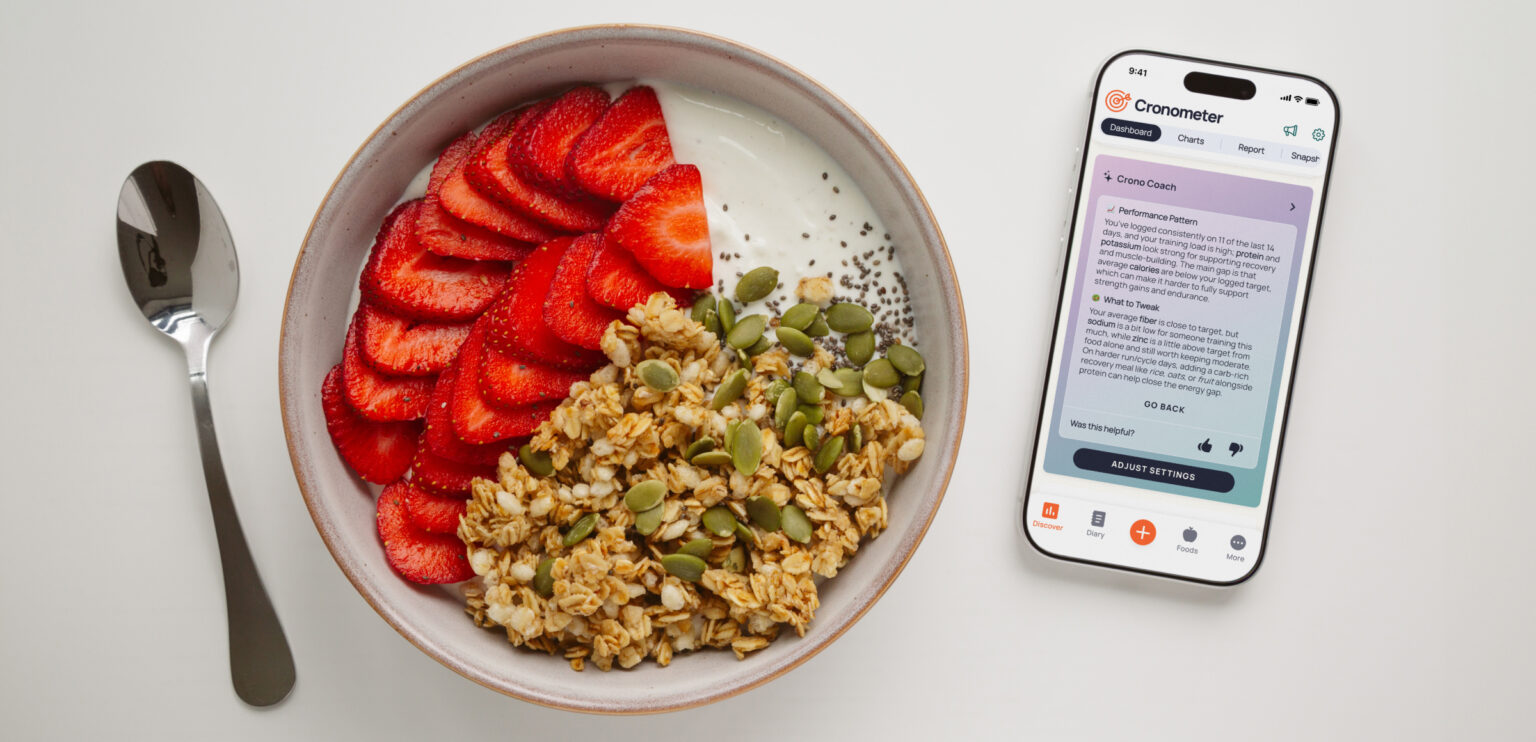
Meet Crono Coach, Cronometer’s new in-app nutrition assistant. Available with Gold, it turns your nutrition data into clear, personalized guidance.
How Crono Coach works
From the Dashboard, choose what you would more insights on. Crono Coach combines that focus with your recent nutrition data, goals, dietary preferences, saved notes, and relevant Cronometer settings to provide one concise, personalized response.
You can ask Crono Coach to:
- Review your daily nutrition summary to spot patterns in your recent diary, nutrient averages, and targets.
- Give encouragement that reflects your recent progress and logging activity.
- Review your logging habits and identify opportunities to improve diary coverage or data quality.
- Analyze goals and settings to help you spot a possible conflict, misconfiguration, or target worth reviewing.
- Recommend a meal based on your nutrition patterns, goals, dietary preferences, and frequently logged foods.
During setup, you can add other notes or instructions for Crono Coach to remember in future guidance. For example: “Please notify me if I’m under my fiber target.”
Crono Coach helps with the interpretation. You remain in control of every decision and change.
How to get started
Crono Coach is available from the Dashboard in Cronometer.
- Open the Dashboard and select Get Started.
- Choose your goals and dietary preferences.
- Add any notes or instructions you would like Crono Coach to consider.
- Review and accept the Crono Coach disclaimer.
Once you are set up, choose a focus whenever you would like personalized guidance.
Update your settings anytime
Your needs and goals can change. You can update your Crono Coach settings whenever you need to. From the Crono Coach card, select Adjust Settings to update your goals, dietary preferences, or notes.
If you would prefer not to see Crono Coach on your mobile Dashboard, go to:
More → Display → Dashboard Settings → turn Show Crono Coach off
You can turn it back on anytime.
Who can use Crono Coach?
Crono Coach is a Gold feature available on web, iOS, and Android.
Free users can still access all of their nutrition information in Cronometer. Gold adds Crono Coach as another way to analyze that information and receive personalized guidance.
Sign up for Gold to try Crono Coach.
A note about health guidance
Crono Coach is designed for informational support. It is not diagnostic and does not replace advice from a doctor, dietitian, or other qualified healthcare professional.
Crono Coach will not automatically change your diary, targets, settings, medications, or supplements. It provides guidance only. You decide what, if anything, to change.
Ready to get started?
Crono Coach for Cronometer Pro practitioners
Cronometer Pro practitioners can use Crono Coach when reviewing a client’s nutrition data. Use it to analyze client diaries, goals, and settings, identify patterns, and bring clearer nutrition insights into client conversations.
Clients can also access Crono Coach from their own Dashboard for personalized guidance based on their nutrition data, goals, dietary preferences, and saved notes.
Keep control of your client experience
If you prefer to keep nutrition guidance and communication within your practice, you can choose whether Crono Coach appears for each client.
To turn Crono Coach on or off for an individual client:
Open the client’s Display Settings.
Toggle Show Crono Coach on or off.
Clients must accept the Crono Coach disclaimer themselves before they can begin using the feature.